Articulate Storyline Translation: The Complete Localization Guide 2025
By Quadrate Multilingual Consultant
Table of Contents
- What Is Articulate Storyline Translation and Why Does It Matter?
- Articulate Storyline vs. Articulate 360 — What Are You Actually Translating?
- The Real Challenges of Translating Articulate Storyline Courses
- How Articulate Storyline Translation Actually Works: Step-by-Step
- SCORM Translation — What Every L&D Manager Needs to Know
- xAPI and Tin Can Localization Inside Articulate Storyline
- Translating Rise 360 — The Differences That Matter
- RTL Language Support in Articulate Storyline
- How to Choose the Right Articulate Storyline Translation Partner
- What Does Articulate Storyline Translation Cost in 2025?
- Top Languages for eLearning Localization in India and Globally
- Common Mistakes That Break Storyline Courses After Translation
- FAQs — Every Question L&D Teams Ask About Storyline Localization
- Why Quadrate Is India’s Trusted Articulate Storyline Localization Partner

1. What Is Articulate Storyline Translation and Why Does It Matter?
If you have built a training course in Articulate Storyline, you already know how much effort goes into it. The branching scenarios, the scenario-based quizzes, the carefully timed animations, the triggers that fire when a learner clicks exactly the right element on screen. Every piece of that course has been designed, tested, and refined to deliver a specific learning outcome in a specific language.
Now your organization needs to deliver that same course to learners in Tamil Nadu, Rajasthan, or Jakarta. Or your enterprise client needs it in Arabic for their Gulf operations. Or your compliance team needs the same module in French, German, Spanish, and Mandarin simultaneously.
This is where Articulate Storyline translation — or more precisely, Articulate Storyline localization — becomes one of the most technically demanding tasks in the eLearning production workflow.
It is not translation in the conventional sense. You are not simply converting a Word document or a PDF from one language to another. You are working inside a proprietary authoring tool that stores every text string, every audio file, every variable, every trigger, and every interaction in a tightly structured .story file. A poorly executed translation will not just produce grammatically incorrect text. It will break triggers. It will misalign timelines. It will corrupt quiz logic. It will cause your SCORM package to fail LMS conformance tests. It will deliver a course that neither teaches nor tracks properly — in any language.
Done right, multilingual Articulate Storyline courses allow organizations to scale training globally without rebuilding from scratch. Done wrong, they cost more to fix than they would have cost to build from the start.
This guide covers everything — from the technical mechanics of how Articulate Storyline stores translatable content, to how SCORM and xAPI survive localization, to what RTL language support actually requires, to what you should demand from any Articulate Storyline translation vendor in 2025.
2. Articulate Storyline vs. Articulate 360 —
What Are You Actually Translating?
Before diving into process and methodology, it is worth being precise about what “Articulate translation” actually means, because the Articulate ecosystem includes several distinct tools and file types, each with different localization requirements.
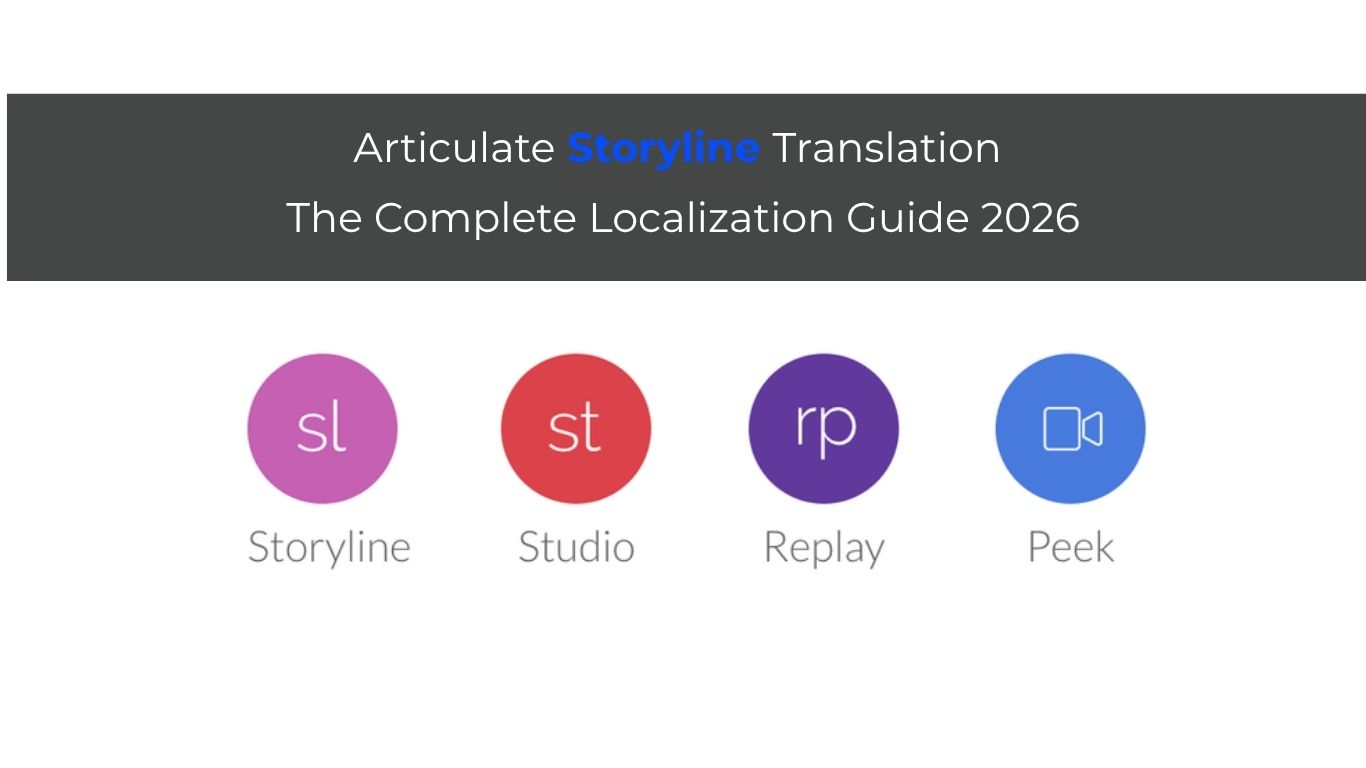
Articulate Storyline 360 is the flagship desktop authoring tool. It produces .story files, which are the source files that contain all slide content, triggers, variables, audio, and interactions. Published output can be SCORM 1.2, SCORM 2004, xAPI/Tin Can, or HTML5. When most L&D professionals say “Articulate Storyline translation,” this is what they mean.
Articulate Rise 360 is a browser-based authoring tool that produces responsive, block-based eLearning. Rise courses do not use .story files. They are exported as SCORM or xAPI packages or shared via Articulate Review 360. Translation for Rise 360 follows a different workflow, which we cover in Section 7.
Articulate Studio 360 includes tools like Presenter 360, Quizmaker 360, and Engage 360. These are PowerPoint-based authoring tools whose output and file structures differ from Storyline.
Articulate Peek 360 is a screencasting tool. Localization typically involves subtitle or caption translation.
When you engage a localization vendor, confirming which Articulate tool produced your course is the first and most critical step. The workflows, tools, and quality checks are different for each.
For Storyline 360 specifically, the translatable assets in a typical course include on-screen text across all slides and layers, narration scripts (for audio re-recording or voiceover replacement), subtitle and caption files if present, quiz questions, answer choices, feedback text, and results slide content, player interface text such as menu labels, navigation buttons, and accessibility text, variable values that contain visible text strings, and any embedded PDFs, images with text, or linked documents.
Each of these requires a different handling approach, and each carries its own technical risk if not handled correctly.


3. The Real Challenges of Translating Articulate Storyline Courses
Anyone who tells you that translating an Articulate Storyline course is straightforward has either never done it properly or has never been responsible for testing the translated version before delivery. These are the real challenges that separate professional Storyline localization from amateur translation attempts.
Text Expansion and Slide Layout
This is the most visible problem and often the first one clients encounter when they try to use non-specialist translators for Storyline work. English is a compact language. German, for example, routinely produces text that is 20 to 35 percent longer than the English equivalent. Spanish and Portuguese also expand considerably. When translated text is pasted back into Storyline slides, text boxes overflow, fonts shrink automatically to fit, or text gets cut off entirely if the auto-fit setting clips it. The result is a visually broken course that reflects poorly on both the training department and the organization.
Professional localization teams handle this through a combination of translating to length, adjusting font sizes within acceptable visual parameters, redesigning text boxes where necessary, and rewriting locally for concision without losing meaning.
Trigger and Variable Integrity
Triggers in Articulate Storyline are the invisible architecture that makes interactive learning work. A trigger might say: “Jump to slide 4.3 when the user clicks Button A on Layer 2 of Slide 4.2, but only if Variable X equals true.” This logic is stored separately from the text content. It does not get broken by the translation itself — but it absolutely gets broken by clumsy reconstruction work during the localization process. If a translator or developer accidentally deletes a layer, duplicates a trigger, or moves an object while editing text, the branching logic of the entire course can collapse silently in ways that are only discovered during QA or, worse, after deployment.
Audio Replacement and Timing
If your Storyline course uses narration audio, translated voiceovers will almost never match the original audio timeline perfectly. The translated narration will be shorter or longer than the English original. This means every slide’s animation and object timing needs to be re-reviewed and adjusted to match the new audio track. In a 60-slide course with audio on every slide, this is a significant production task that many vendors underestimate or skip entirely, delivering a course where slide animations fire while the narrator is still speaking, or where the audio ends several seconds before the slide transitions.
Font and Character Support
Western Latin fonts cannot render Devanagari, Tamil, Arabic, Chinese, Japanese, Korean, or dozens of other scripts. When Storyline is used to deliver content in these languages, the fonts embedded in the original .story file must be replaced with fonts that support the target script. This is not just a cosmetic issue. Incorrect font handling causes characters to display as empty boxes, question marks, or mojibake — garbled characters that destroy course readability.
SCORM and xAPI Package Integrity
The translated course must still pass LMS conformance testing. Quizzing logic, attempt limits, passing scores, completion triggers, and tracking variables must all work correctly in the target language. If the localization process involves republishing the Storyline file, the SCORM manifest needs to be verified, launch files need to be confirmed, and xAPI statements need to be tested against the LRS endpoint. A translated course that fails to track in the LMS is useless regardless of how well the text reads.
Locale-Specific Formatting
Date formats, number formats, currency symbols, and units of measurement may all need to be adapted for the target locale in addition to the language itself. A compliance training course built for an Indian audience that references 12/06/2025 in MM/DD/YYYY format will confuse a European audience expecting DD/MM/YYYY. These localization details are frequently overlooked but matter significantly for professional delivery.
4. How Articulate Storyline Translation Actually Works:
Step-by-Step
The professional methodology for Articulate Storyline translation is more structured than most clients realize when they first approach a localization vendor. Here is what a rigorous process looks like from start to finish.
Step 1: Source File Analysis and Scoping
The process begins with a detailed analysis of your .story source file. A professional vendor will review the total word count across all slides and layers, the number and complexity of triggers and variables, the volume and duration of audio assets, the presence of any embedded media, PDFs, or externally linked content, the target languages and any specific locale requirements, and the publishing format required (SCORM 1.2, SCORM 2004, xAPI, HTML5).
This analysis produces an accurate project scope, timeline, and cost estimate. Vendors who quote without performing this analysis are guessing, and their quotes will change later.
Step 2: Content Extraction
Translatable text is extracted from the .story file using Articulate’s built-in export functionality or specialist eLearning localization tools. The extraction produces structured files — typically in XLIFF or Word format — that contain the source text string alongside its location reference in the Storyline file. This approach allows translators to work in familiar translation environments and ensures that every text string is captured, including text in slide layers, feedback layers, and player interface strings that are easy to miss.
Step 3: Translation by Domain-Expert Native Translators
The extracted content is assigned to native-speaking translators with experience in the subject matter domain. An IT security compliance course needs a translator who understands cybersecurity terminology, not just a proficient speaker of the target language. Terminology glossaries are established upfront for consistent use of key terms across all slides and modules. Brand voice and tone guidelines are applied. Translation memories are built to ensure that recurring phrases — such as standard navigation instructions or boilerplate compliance language — are translated consistently and efficiently.
Step 4: Editing and Review
Every translation passes through a second native-speaking linguist for editing and review. This step catches translation errors, consistency issues, cultural inappropriateness, and text that is technically accurate but stylistically wrong for the intended audience. For regulated industries such as healthcare, pharmaceutical, or financial services training, a third subject matter review step may be required.
Step 5: Reconstruction in Articulate Storyline
Translated content is reinserted into the original .story file. This is the most technically demanding step and the one that separates specialist eLearning localization vendors from general translation agencies. The reconstruction team works directly in Articulate Storyline, reinserts text into the correct text boxes on each slide and layer, replaces audio files with translated voiceovers and re-times all animations and object entrance/exit effects, replaces any image-embedded text with localized versions, adjusts layouts where text expansion has caused overflow, and verifies that all triggers and variables remain intact and functional.
Step 6: Functional Quality Assurance
The reconstructed file goes through a structured QA process. Every slide is reviewed for visual accuracy. Every trigger is tested in preview mode. All quiz interactions are tested end-to-end. Audio synchronization is verified on every narrated slide. The published SCORM or xAPI package is tested in a sandboxed LMS environment to verify tracking, scoring, completion, and bookmarking.
Step 7: Delivery and Post-Deployment Support
The client receives the translated .story source file, the published SCORM/xAPI package, and a QA sign-off report. Professional vendors also provide post-deployment support for any issues discovered after LMS upload, and retain the translation memory for future updates to the course.
5. SCORM Translation — What Every L&D Needs to Know
SCORM — Shareable Content Object Reference Model — is the communication standard that allows eLearning courses to talk to Learning Management Systems. When you translate an Articulate Storyline course and publish it as a SCORM package, there are specific technical considerations that every L&D manager should understand.
The SCORM package itself consists of a manifest file (imsmanifest.xml) that describes the course structure, HTML launch files, JavaScript tracking files, and all media assets including the translated HTML5 output of your Storyline slides. The SCORM standard does not have a language dependency — it tracks completion, score, time, and suspend data regardless of the language the learner sees on screen.
However, several localization decisions can break SCORM tracking if not handled carefully.
If the course reconstruction process involves republishing the Storyline file from scratch rather than updating the existing file, the course identifier in the SCORM manifest may change. An LMS that has previously enrolled learners in the original English version may treat the translated version as a completely different course. This is usually the correct behavior — you want a separate course instance for each language version — but it needs to be confirmed with your LMS administrator before deployment.
Quiz feedback text, results slide content, and LMS-displayed course title and description fields all contain translatable text that lives outside the main slide content and is easy to miss during localization. A translated course that shows English feedback text on French quiz responses is a common and professionally embarrassing oversight that results from incomplete extraction scopes.
SCORM 2004 introduced sequencing and navigation rules that are more complex than SCORM 1.2. If your Storyline course uses advanced SCORM 2004 sequencing, the localization team needs to verify that all sequencing rules remain correctly configured after reconstruction, particularly if any conditional branching in the course is linked to SCORM variables.
Passing score thresholds, attempt limits, and completion criteria are set in Storyline’s publish settings. These settings must be verified and re-confirmed in the translated version before delivery. It is surprisingly common for reconstruct-and-republish workflows to reset these values to Articulate’s defaults, resulting in a translated course with incorrect tracking behavior.
6. xAPI and Tin Can Localization In Articulate Storyline
xAPI (Experience API), also known as Tin Can, is the modern successor to SCORM. It offers significantly more flexible tracking capabilities, recording not just completion and score but granular learning activity statements that can be sent to a Learning Record Store (LRS) independent of an LMS.
Localizing an Articulate Storyline course that uses xAPI requires attention to several specific considerations that go beyond standard SCORM translation.
xAPI statements include an actor (the learner), a verb (the action), and an object (the activity). The activity object includes a human-readable name and description. These text elements may need to be localized so that LRS reports and learning analytics dashboards display content in the target language rather than the English source. Articulate Storyline allows you to set the language of xAPI statements in the publish settings — this needs to be updated to the target language code during localization.
Activity IDs in xAPI are URIs that identify specific learning activities. These IDs should remain consistent across language versions of the same course so that cross-language learning analytics can be correctly aggregated. Changing activity IDs during translation breaks the ability to compare learning data across language cohorts, which defeats the purpose of granular xAPI tracking for global training programs.
If your Storyline course uses xAPI to record performance data for individual interactions — such as which answer a learner selected on each question, or which branching path they followed — the response identifiers for those interactions need to remain consistent with your LRS configuration even as the visible answer text changes language. This is a technical integration detail that requires coordination between the localization team and your LRS administrator.


7. Translating Rise 360 — The Differences That Matter
Rise 360 is Articulate’s browser-based authoring tool and has grown significantly in adoption among enterprise L&D teams who need to produce responsive, mobile-friendly eLearning quickly. Rise 360 courses look and feel very different from Storyline 360 courses, and their localization workflow is correspondingly different.
Rise 360 courses are built from blocks — text blocks, image blocks, quiz blocks, accordion blocks, and others — that are assembled in a browser-based editor. There is no .story file. Course content is stored in Articulate’s cloud platform. Translation is handled through XLIFF export and import, which Articulate introduced specifically to support localization workflows.
The XLIFF export from Rise 360 captures all translatable text content from every block in the course. Translators work with this XLIFF file, translate the content, and the translated XLIFF is imported back into Rise 360 to produce the translated version. This is a significantly cleaner workflow than Storyline localization in some respects — there is less risk of breaking triggers or layouts because Rise’s block structure is more rigid and self-adjusting.
However, Rise 360 localization has its own challenges. Images that contain text need to be recreated in the target language. Embedded videos need subtitles or dubbed audio. Branching scenarios built with Rise’s scenario block need careful review to ensure all paths and feedback text have been translated. And the XLIFF workflow, while functional, captures only text content — any rich media, interactive elements, or embedded Storyline blocks within a Rise course need separate handling.
Rise 360 also does not support RTL languages natively in the same way a Storyline course can be engineered to support them. RTL layout for Rise 360 is a known limitation that requires workarounds or supplementary CSS, which means Arabic, Hebrew, and Urdu localization in Rise 360 is more complex than in Storyline.
8. RTL Language Support in Articulate Storyline
Right-to-left language support is one of the most technically demanding aspects of Articulate Storyline localization, and it is worth dedicating focused attention to it because the stakes are high for organizations operating in Arabic-speaking, Hebrew-speaking, or Urdu-speaking markets.
Arabic alone is the official language of 26 countries and the first language of over 310 million people. For any Indian organization with operations or clients in the Gulf region, the Middle East, or North Africa, Arabic Articulate Storyline localization is not an optional capability — it is a business requirement.
Articulate Storyline does not have a native RTL mode in the same way that a web browser or a word processor does. RTL support in Storyline requires a deliberate set of design and development decisions that need to be made during the localization process.
Text box alignment must be changed from left-aligned to right-aligned for every text element on every slide and layer. This sounds simple but becomes complex at scale in a course with hundreds of slides. Navigation elements — which in English courses typically run left to right — may need to be mirrored or redesigned for RTL learner expectations. Slide layouts that use left-side images with right-side text may need to be flipped so that the reading flow matches the RTL text direction. Timeline animations that move objects from left to right may need to be reversed.
Arabic text in Storyline requires a font that supports the full Arabic Unicode character set, including all necessary ligatures and contextual letter forms. Not all Arabic fonts render correctly in Storyline’s HTML5 output, and testing across browsers and devices is essential to ensure that Arabic text displays correctly for all learners.
Numbers in Arabic localization require a specific decision: do you use Arabic-Indic numerals (٠١٢٣٤٥٦٧٨٩) or Western Arabic numerals (0123456789)? This depends on the specific audience and regional standard. Saudi Arabia, for example, predominantly uses Western Arabic numerals in business contexts, while some other Arabic-speaking regions use Arabic-Indic. A professional localization vendor will confirm this with you before production.
Urdu localization in Articulate Storyline shares many of the RTL challenges of Arabic, with the additional complexity that Urdu uses the Nastaliq script style, which has different typographic requirements from the Naskh style more commonly used for Arabic digital text. Font selection for Urdu in Storyline requires specific attention.


9. How to Choose
the Right Articulate Storyline Translation Partner ?
Not all translation agencies are equipped to handle Articulate Storyline localization. And not all eLearning production companies have the linguistic capabilities to deliver professional translation. The right Articulate Storyline translation partner sits at the intersection of these two disciplines. Here is what to look for.
Articulate Storyline Technical Proficiency
Your vendor’s team should have hands-on experience working inside Articulate Storyline — not just experience “with eLearning” in general. Ask specifically whether they work with .story source files directly, how they handle trigger reconstruction, and what their QA process is for verifying functional integrity after translation. A vendor who cannot answer these questions in technical detail is not equipped for the work.
Native Translators with Domain Expertise
A native speaker of Tamil who has never worked on compliance or healthcare training content will produce translations that are linguistically correct but instructionally inappropriate. The right vendor matches translators not just to the target language but to the specific subject matter domain of your course.
SCORM and xAPI Testing Capability
Ask whether the vendor tests translated packages in a live LMS environment before delivery. Many do not, relying instead on Articulate’s preview function, which does not replicate all LMS tracking behaviors. If your course is deployed on a specific LMS platform — Cornerstone, Moodle, SAP SuccessFactors, Docebo, TalentLMS — ask whether the vendor has experience testing on that platform.
Translation Memory and Terminology Management
A professional vendor builds and maintains a translation memory for your content — a database of previously translated text segments that ensures consistency across updates and new modules, and that reduces cost and turnaround time for future projects. Ask to see their approach to terminology management, glossary development, and style guide integration.
References from eLearning Clients
Ask for references specifically from eLearning or L&D clients, not from general translation clients. The challenges of Storyline localization are specific enough that general translation references provide limited assurance of eLearning capability.
Data Security and Confidentiality
Your Storyline courses contain intellectual property, business process documentation, and potentially sensitive compliance content. Your vendor should sign an NDA before receiving any files and should be able to describe their data security protocols clearly, including how files are stored, transmitted, and deleted after project completion.
10. What Does Articulate Storyline Translation Cost in 2026?
Pricing for Articulate Storyline translation varies significantly based on several factors, and understanding these factors helps you evaluate quotes accurately and avoid unpleasant surprises mid-project.
Word count is the primary driver of translation cost. Most professional localization vendors price translation on a per-word basis, with rates varying by language pair. European language pairs — English to French, German, Spanish — typically attract lower per-word rates than Asian or African language pairs due to the larger global supply of qualified translators. Less common language pairs or specialized domain expertise command higher rates.
Audio volume is the second major cost driver. If your Storyline course uses narration, translated voiceover recording adds significant cost. Voiceover pricing is typically calculated per finished audio minute, and professional studio-quality recording with a qualified native voice talent is not inexpensive. However, cutting corners on voiceover quality destroys the professional credibility of the translated course.
Course complexity affects reconstruction and QA costs. A course with 50 simple slides, minimal triggers, and no audio is faster and cheaper to reconstruct than a 50-slide course with complex branching, custom interactions, and audio on every slide. Vendors who do not account for complexity in their quotes are giving you a best-case-scenario estimate that will not survive contact with your actual file.
Number of languages affects the overall project cost but not the per-language cost in most cases. Running 6 languages in parallel is typically more cost-efficient than running them sequentially because project setup, glossary development, and QA infrastructure is shared across the language set.
Turnaround time affects cost. Standard turnaround for a 30-minute course is typically 5 to 7 business days per language. Rush delivery within 2 to 3 business days carries a premium. For enterprise projects spanning 10 or more languages and multiple hours of course content, parallel workflows can compress timelines significantly.
As a general benchmark for India-based localization vendors delivering high-quality Articulate Storyline translation into major Indian and global languages, per-word translation rates typically range from ₹2 to ₹6 per word depending on language pair and domain. Audio voiceover rates range from ₹1,500 to ₹4,000 per finished audio minute depending on language and talent quality. Full project costs for a 30-minute Storyline course into a single language — including translation, reconstruction, QA, and delivery — typically range from ₹25,000 to ₹75,000 depending on complexity and audio volume.

11. Top Languages for eLearning Localization in India and Globally
India presents a uniquely complex eLearning localization landscape. With 22 officially recognized languages under the Eighth Schedule of the Constitution and hundreds of additional dialects, Indian enterprises face domestic localization demands that are as complex as any global multinational.
For Indian enterprises, the highest-priority eLearning localization languages by workforce distribution and regulatory requirement are Hindi, which remains the most widely spoken first language and the lingua franca for a significant portion of the Hindi belt workforce covering Uttar Pradesh, Bihar, Madhya Pradesh, Rajasthan, and Haryana. Tamil is essential for enterprises with operations in Tamil Nadu, Sri Lanka, and the large Tamil diaspora in Malaysia and Singapore. Telugu serves Andhra Pradesh and Telangana, two of India’s most significant industrial states. Kannada is the official language of Karnataka, home to Bengaluru’s technology industry. Marathi covers Maharashtra, including Mumbai, India’s financial capital. Bengali is critical for West Bengal and Bangladesh operations. Gujarati is important for the business community and for operations in Gujarat.
For enterprises with global operations or export-facing training, Arabic, Mandarin Chinese, and Spanish represent the three highest-volume target languages globally by total number of speakers. French is essential for Francophone Africa, which represents a large and growing market for Indian enterprises expanding on the continent. Japanese and Korean are critical for the technology and manufacturing sectors, where significant knowledge transfer between Indian teams and East Asian counterparts is common.
Indonesian and Thai are increasingly important as Indian enterprises expand into Southeast Asia. Russian remains important for the pharmaceutical and technology sectors. Portuguese covers both Brazil — the largest economy in Latin America — and several African markets including Mozambique and Angola.
12. Common Mistakes
That Break Articulate Storyline Courses After Translation
These are the most common failures that occur when Articulate Storyline localization is done without proper expertise, and understanding them helps you evaluate vendors and set the right quality expectations.
Using Generic Translators Without eLearning Experience
The most common and most damaging mistake is hiring a general translation agency or a freelance translator who produces linguistically accurate text but has no understanding of how that text will be reinserted into Articulate Storyline. The result is text that overflows text boxes, uses terminology inconsistent with the course’s learning objectives, and sometimes produces text that is technically correct but contextually inappropriate for the learner audience.
Skipping the Functional QA Step
Many lower-cost vendors deliver translated courses that look correct on visual inspection but have untested or broken triggers. A trigger that works in the English source file may fail silently in the translated version if a layer was accidentally renamed, an object was moved, or a variable reference was disrupted during reconstruction. Functional QA — where every trigger, branching path, and quiz interaction is tested end-to-end — is non-negotiable for professional Storyline localization.
Ignoring Text Expansion in Layout
Translating English text into German, Finnish, or Polish without accounting for text expansion is a guaranteed recipe for visually broken slides. Every text box in the translated version must be checked to ensure that translated content fits within the intended layout boundaries without distorting the visual design or obscuring other slide elements.
Replacing Fonts Without Testing
Switching from a Latin font to a Devanagari, Arabic, or CJK font without testing the output across target browsers and devices produces courses that display correctly on the developer’s machine but render as garbled characters on learners’ screens. Font testing across Chrome, Firefox, Edge, and Safari on both desktop and mobile is essential for any course being translated into non-Latin scripts.
Not Updating Player Interface Text
Articulate Storyline’s player interface — the menu, navigation buttons, accessibility labels, and player text strings — contains translatable content that is separate from the slide content. Many vendors translate the slide content but forget the player interface, delivering a course that displays perfect French on every slide but retains English text on the navigation menu and menu sidebar. This is both visually inconsistent and a significant accessibility failure for screen reader users.
Using Machine Translation Without Post-Editing
Machine translation tools including neural MT engines can produce useful first drafts for some language pairs and some content types, but they consistently produce errors in technical, regulatory, and instructional content that require human post-editing to correct. An eLearning course that contains machine translation errors in compliance content is a legal and reputational risk for the organization that deploys it.


13. FAQs —
Every Question L&D Teams Ask About Storyline Localization
Can Articulate Storyline files be translated without the original .story source file?
In most cases, you need the original .story source file for a proper translation with full functionality preservation. If only a published SCORM or HTML5 package is available, some text extraction is possible but the localization will be significantly more limited — triggers cannot be verified, layouts may not be restorable to their original state, and the reconstructed file will not be a true source-level .story file. Always retain your .story source files for exactly this reason.
How do I export text from Articulate Storyline for translation?
Articulate Storyline has a built-in translation export feature under File > Translation > Export. This produces a Word document containing all translatable text strings from your course, organized by slide. After translation, the Word document can be reimported using File > Translation > Import. However, this built-in workflow has limitations — it does not capture all text in all contexts, does not handle audio transcripts, and requires careful reconstruction work after import. Professional localization vendors typically use more comprehensive extraction tools to ensure complete text capture.
Will my SCORM completion tracking still work after translation?
Yes, if the translation is done correctly. SCORM tracking is independent of the language content — it tracks based on completion criteria, quiz results, and time spent, not on what the learner reads. However, if the reconstruction process involves republishing the course, the LMS administrator needs to confirm that publish settings (passing score, completion criteria, attempt limits) have been correctly configured in the translated version.
What is the difference between translation and localization for Articulate Storyline?
Translation refers specifically to converting text from one language to another. Localization is a broader process that includes translation but also adapts the course for the cultural context of the target audience — adjusting examples, scenarios, imagery, date formats, currency references, legal references, and other culturally specific content. For most enterprise training, localization is what you need, not just translation.
Can I translate my Articulate Storyline course into multiple languages simultaneously?
Yes. Professional localization vendors run multi-language projects in parallel, with separate translation teams working on each language simultaneously. Parallel workflows reduce overall project timelines significantly compared to sequential language-by-language processing.
My course has custom JavaScript interactions. Will these survive translation?
Custom JavaScript in Articulate Storyline is not affected by the translation process itself — it is not extracted, modified, or reinserted. However, if the JavaScript contains any hardcoded text strings that are displayed to learners, those strings need to be identified and localized separately from the main content extraction. Inform your vendor of any custom JavaScript at the scoping stage.
How do I brief a localization vendor on my course’s terminology and tone?
The most effective approach is to provide a reference glossary of key terms used in your course along with their preferred translations, a style guide defining the formality level, voice, and tone of the source content, any previous translations of related content that can serve as reference material, and the name and background of the intended learner audience. The more context you provide upfront, the higher the quality of the translation output.
What happens if I need to update the course after translation?
This is where translation memory becomes valuable. If you retain the .story source files and the translation memory from the original project, updating the course for content changes — adding a new regulatory requirement, updating product names, refreshing scenario content — requires only the changed segments to be translated. Unchanged segments are matched from translation memory at no additional translation cost.
14. Why Quadrate Is India’s Trusted
Articulate Storyline Localization Partner ?
Quadrate Multilingual Consultant has been delivering specialized eLearning translation and localization services for L&D teams across India and globally since its founding. Our work is built on a single principle: when we hand back a translated Articulate Storyline course, it must function exactly as the source version does — in every language, on every device, on every LMS.
We are not a general translation agency that handles eLearning on the side. Our team includes Articulate Storyline specialists who understand the architecture of .story files at a technical level, native-speaking translators in 50+ languages who have worked on eLearning content across every major business domain, a dedicated SCORM and xAPI testing team that validates every translated package in a live LMS environment before delivery, and a QA team that checks every slide, every trigger, every quiz interaction, and every audio-animation sync point in the translated course.
We have localized Articulate Storyline courses for L&D teams in Fortune 500 manufacturing companies, leading EdTech platforms, BFSI enterprises, pharmaceutical organizations, and government training programs. We deliver into all major Indian languages — Hindi, Tamil, Telugu, Kannada, Marathi, Bengali, Malayalam, Gujarati, Punjabi, and more — as well as global languages including Arabic (with full RTL support), French, German, Spanish, Mandarin, Japanese, Korean, Indonesian, and Portuguese.
Our clients come to us because their previous vendors delivered translated courses with broken triggers, overflowing text boxes, and failed SCORM tracking. They stay with us because we deliver work that goes straight to deployment without rework.
If you have an Articulate Storyline course that needs to reach learners in another language — whether that is one language or twenty, one module or an entire library — we would like to show you what professional Storyline localization looks like.
Get in touch with Quadrate today for a free project assessment and quote within 24 hours.