
A Deep Dive into Desktop Publishing: The Top 10 Tools for Perfect Publications
Unlock Multilingual Communication with Accurate Translation Services
In an era where content flows seamlessly across languages and markets, desktop publishing (DTP) has become far more than just arranging text and images. DTP refers to the use of professional software to combine text, graphics and layout-elements into print-ready or digital-ready publications. Its evolution has been remarkable: from early page-layout programs designed for print magazines to today’s multilingual digital-first workflows supporting global marketing, e-books, apps and online portals.
For translation and localization workflows specifically, DTP plays a critical role. When your translated copy arrives, you need to integrate it into the original design, adjust for text expansion or contraction, accommodate right-to-left (RTL) scripts or double-byte languages, and ensure brand consistency across all versions. Choosing the right desktop publishing tools means you’re not just translating words but delivering a visually consistent, culturally appropriate, on-brand asset across markets.

The Role of DTP in Translation & Localization
Why DTP Matters in Multilingual Workflows
Layout adaptation: Languages expand or contract — German sentences are notoriously long, while Chinese is more compact. DTP adjusts text blocks and images accordingly.
Font and script compatibility: From Cyrillic to Simplified Chinese, every script requires its own typographic care.
Directionality: Right-to-left languages (Arabic, Hebrew) need entire layouts flipped — something only professional DTP tools handle gracefully.
File consistency: When translators work in CAT tools, DTP specialists step in afterward to make sure formatting aligns perfectly before publishing.
Without DTP, a multilingual project might have mistracked text, overlapping layers, or broken characters. That’s not just ugly — it’s unprofessional.
What Professional DTP Services Deliver
Re-formatted, print-ready documents that look native in every language.
Consistent branding across brochures, manuals, packaging, and online content.
Coordinated workflows between translators, editors, and designers.
Efficient turnaround through tool integration (InDesign, Illustrator, QuarkXPress, etc.).
Simply put: DTP makes translation look good — literally.
1. Adobe InDesign
Overview:
The industry standard for professional layout design. It’s the default choice for multilingual print and digital projects.
Key Features:
Excellent typography and layout control
Integration with Adobe Illustrator and Photoshop
Supports complex scripts (Arabic, Hebrew, Asian languages)
Exports easily to PDF, EPUB, and HTML formats
Pros:
Seamless collaboration and versioning
Huge plugin ecosystem
Ideal for multilingual templates
Cons:
Expensive for small teams
Steep learning curve for beginners
Best For:
Global marketing teams, localization specialists, and translation MNCs handling high-volume multilingual content.


2. QuarkXPress
Overview:
A veteran DTP software that continues to evolve. Known for its solid typography and file stability.
Key Features:
Non-destructive image editing
Multi-language typesetting engine
Direct HTML5 and eBook export options
Advanced automation tools
Pros:
Great color management and typography
Handles large multilingual documents well
Cons:
Interface feels slightly dated
Integration with third-party tools is limited
Best For:
Publishers and translation teams working on books, catalogs, or print-heavy content.
3. Affinity Publisher
Overview:
A modern, cost-effective rival to InDesign with near-identical functionality and an intuitive interface.
Key Features:
Supports right-to-left and complex languages
Works seamlessly with Affinity Photo and Designer
Real-time collaboration and layout adjustments
One-time purchase (no subscription)
Pros:
Affordable and fast
Excellent typography precision
Cons:
Limited automation
Slight learning curve for InDesign users
Best For:
Freelance DTP professionals or small translation agencies managing multilingual marketing materials.


4. Canva
Overview:
Cloud-based, user-friendly, and great for quick, lightweight DTP projects.
Key Features:
Thousands of templates
Real-time team collaboration
Cloud storage and sharing
Easy export to social, print, or web formats
Pros:
Zero setup — runs in your browser
Ideal for non-designers
Cons:
Limited multilingual font handling
No advanced typographic control
Best For:
Global marketing teams handling social or web-based multilingual campaigns.
5. Scribus
Overview:
An open-source desktop publishing tool — free, flexible, and surprisingly powerful.
Key Features:
Cross-platform support (Windows, macOS, Linux)
CMYK and ICC color management
Supports Unicode and right-to-left languages
Frequent community updates
Pros:
100% free
Decent multilingual compatibility
Cons:
Interface feels outdated
Limited automation and plugin support
Best For:
Budget-conscious translation teams or educational projects needing multilingual layouts.

Other Noteworthy Desktop Publishing Tools for Multilingual Projects
Rounding out the list are Microsoft Publisher, PagePlus, VivaDesigner, Lucidpress (Marq), and CorelDRAW—each catering to different corners of the DTP universe. Microsoft Publisher remains a simple, Office-integrated option for quick multilingual newsletters or reports. PagePlus, though discontinued, still finds use in older workflows where legacy project files live on. VivaDesigner blends desktop power with browser-based collaboration, making it ideal for large localization teams managing multilingual files across continents. Lucidpress (now Marq) takes a cloud-first approach, offering branded templates and translation-friendly layouts that keep global campaigns visually aligned. Finally, CorelDRAW dominates the packaging and signage space with its precise vector control, robust Unicode support, and rock-solid compatibility for multilingual graphics. Together, these tools prove that professional desktop publishing isn’t one-size-fits-all—it’s about matching your design environment to your team’s language, budget, and workflow reality.
Choosing the Right DTP Tool for Multilingual Projects
Not every team needs Adobe InDesign — and not every budget allows it. Picking the best DTP tool depends on your project scale, complexity, and workflow setup.
Selection Criteria:
File compatibility: Can it handle your translation outputs (InDesign IDML, PDF, etc.)?
Script support: Does it manage right-to-left and complex languages?
Workflow integration: Can translators, DTP artists, and editors collaborate easily?
Budget: Subscription or one-time license?
Learning curve: Do your designers already know it?
Recommendations:
For enterprise localization: Adobe InDesign, VivaDesigner, or QuarkXPress.
For mid-sized translation teams: Affinity Publisher or CorelDRAW.
For fast marketing turnarounds: Canva or Lucidpress (Marq).
For budget projects: Scribus.
The right software is the one your team actually uses efficiently — not the flashiest logo on the box.

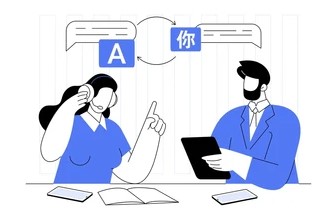
How a Translation MNC Leverages DTP Expertise
Inside a professional translation company, DTP specialists are the unsung heroes. After translators finish their linguistic magic, the DTP team ensures that the final files — brochures, manuals, packaging, or websites — look flawless in every language.
They check:
Fonts render correctly across scripts.
Layouts don’t break after translation.
Logos, colors, and brand elements stay consistent.
Right-to-left and double-byte languages display properly.
DTP professionals work hand-in-hand with translators, editors, and project managers to maintain visual and linguistic harmony. This collaboration ensures a brand’s message isn’t just translated — it’s seen and felt the same way worldwide.
That’s why leading localization providers invest heavily in multilingual DTP teams and software automation to handle global content efficiently.
Conclusion:
Design Without Borders
Desktop publishing is more than just design — it’s the final step that turns translation into a finished, global-ready product.
Whether you’re managing packaging in ten languages or building localized e-books, the right professional DTP software makes all the difference in quality, speed, and brand consistency. Investing in multilingual DTP isn’t a luxury. It’s a competitive advantage in an international marketplace where every detail speaks volumes.
Ready to create flawless multilingual designs?
Explore our [Professional DTP and Localization Services] today.
Get Your Urgent Translation Now → [Upload Your File / Get a Quote]
Request a Free Quote Today | 24/7 Availability | Serving Pan-India | Certified Translators & Localization Experts