
Desktop Publishing Services:
Professional DTP for Print, Digital & Multilingual Documents
Desktop publishing services (DTP) combine document layout, typography, formatting, graphics placement, and production preparation to turn source content into professional print or digital documents. They are used for translating manuals, brochures, catalogues, presentations, reports, eBooks, training materials, technical documentation, and multilingual publications.
For translated content, DTP becomes especially important because a document can change significantly after translation. Text expansion, different writing systems, font requirements, line breaks, tables, images, and right-to-left scripts can all affect the original layout.
Quadrate provides desktop publishing and multilingual document solutions alongside its broader translation and localization services. Its website identifies Desktop Publishing as one of its core solutions and describes support for document creation, brochure design, manuals, training materials, technical documentation, and multilingual formatting.
What Are Desktop Publishing Services?
Desktop publishing services are professional document-layout and formatting services used to prepare text, images, graphics, tables, and other content for print or digital publication.
DTP is more than making a document look attractive. The work involves maintaining visual hierarchy, page structure, typography, consistency, readability, and production requirements across the entire document.
A professional DTP process can include:
- Page layout and composition
- Typography and font management
- Paragraph and character formatting
- Headers and footers
- Tables, charts, and diagrams
- Image placement and cropping
- Templates and master pages
- Document conversion
- Multilingual formatting
- Print-ready document preparation
- Digital publishing preparation
- Preflight and quality assurance
For organizations working across languages, DTP also connects translation with final document production. Translation changes the text, while DTP ensures that the translated content still works visually within the intended document.

What Do DTP Services Include?
Page Layout
Professional page layout establishes the relationship between headings, body text, images, tables, captions, page numbers, and other elements.
The objective is to make information easy to navigate while maintaining the intended visual structure of the source document.
Typography and Formatting
Typography affects both readability and document consistency.
DTP professionals work with:
- Font selection
- Font sizes
- Line spacing
- Paragraph spacing
- Text alignment
- Heading hierarchy
- Lists
- Footnotes
- Captions
- Character styles
- Paragraph styles
This becomes more complex when a document is translated into languages that require different fonts or scripts.
Images, Tables and Charts
Images, diagrams, tables, charts, icons, and other visual elements must remain correctly positioned and readable after formatting.
A translated document may require resizing or repositioning because the amount of text surrounding an element can change.
Templates and Document Standards
Organizations often work with established templates and brand guidelines.
DTP services can help maintain consistency across multiple documents by applying defined:
- Fonts
- Styles
- Margins
- Colours
- Page structures
- Heading systems
- Tables
- Headers and footers
- Branding elements
Print-Ready Preparation
Documents intended for professional printing may require additional production checks.
Depending on the project, this can include page size, bleed, margins, image quality, colour considerations, pagination, and final PDF preparation.
Digital Publishing Preparation
DTP can also support documents intended for digital distribution, including eBooks, downloadable manuals, reports, presentations, and online publications.
The final requirements depend on the publishing platform and intended file format.
Why Do Businesses Need Professional DTP Services?
A technically correct document can still fail if its layout is inconsistent, difficult to read, or unsuitable for production. Professional DTP helps organizations maintain document quality when content changes, particularly when documents are translated or localized.
Common reasons businesses use DTP services include:
Maintaining Consistent Branding
Corporate documents often need to follow established visual standards. Consistent typography, spacing, colours, imagery, and page structures help maintain a recognizable brand identity.
Managing Large Documents
Long manuals, catalogues, reports, and technical publications can contain hundreds of pages and many interconnected layout elements.
Manual formatting can become difficult to maintain as the document grows.
Preparing Translated Documents
Translated text does not always occupy the same amount of space as the source text.
For example, a translated paragraph may become longer, causing:
- Text overflow | Changed page breaks | Table expansion | Heading movement | Image displacement | Different line wrapping
Multilingual DTP addresses these problems during the formatting stage.
Reducing Production Errors
A structured DTP and QA process can identify issues such as missing text, incorrect page numbers, inconsistent formatting, overlapping objects, and layout problems before final delivery.
Types of Desktop Publishing Services
Catalogue and Brochure DTP
Catalogues and brochures combine large quantities of text with product images, specifications, tables, pricing information, icons, and brand elements. Professional formatting helps maintain consistent product presentation across pages.
Multilingual DTP
Multilingual DTP is particularly useful when the same publication needs to be produced in multiple languages. The goal is not simply to replace the source text. Each language version needs to remain visually functional and faithful to the original document structure.
Corporate DTP
Corporate DTP can cover:
- Company profiles
- Annual reports
- Internal communications
- Presentations
- Corporate brochures
- Business reports
- Training documents
Academic DTP
Academic and educational documents may include:
- Research publications
- Course materials
- Academic reports
- Study materials
- Training manuals
- Educational workbooks
- Theses and dissertations
Technical DTP
Technical DTP is commonly used for:
- User manuals
- Service manuals
- Installation guides
- Maintenance manuals
- Technical specifications
- Safety documentation
- Standard operating procedures
- Engineering documentation

Multilingual DTP and Translation Services
Translation and DTP are closely connected when documents need to be published in multiple languages.
Replacing source text with translated text is often not enough. The translated version may require layout adjustments because languages differ in character count, word length, typography, scripts, punctuation, and writing direction.
Text Expansion
Translated content can occupy more or less space than the source content.
This can affect:
Page count | Paragraph breaks | Tables | Captions | Headings | Text boxes | Footnotes | Page flow
Fonts and Scripts
Different languages may require different fonts and Unicode support.
Font compatibility is particularly important when documents contain multiple writing systems.
Font availability | Unicode support | Script compatibility | Character rendering | Font consistency
Alignment and Direction
Some languages are written from right to left, requiring changes to the document’s visual direction.
Text alignment | Page composition | Tables | Icons | Navigation | Numbering | Headers and footers | Document direction
Line Breaks and Page Flow
Translated sentences may produce different line lengths and paragraph structures.
Line wrapping | Paragraph length | Page breaks | Heading positions | Text boxes | Section flow
Tables and Images
Tables, diagrams, screenshots, labels, callouts, and other visual elements can require adjustment after translation.
Table width | Cell height | Text wrapping | Diagram labels | Screenshot text | Callouts | Image captions
Multilingual Document QA
The final document should be reviewed for both linguistic and visual issues.
Missing translated text | Text overflow | Incorrect page breaks | Font issues | Alignment errors | Terminology consistency | Table formatting | Image placement | Headers & footers | Page numbering | Formatting consistency
DTP Services for Different Industries
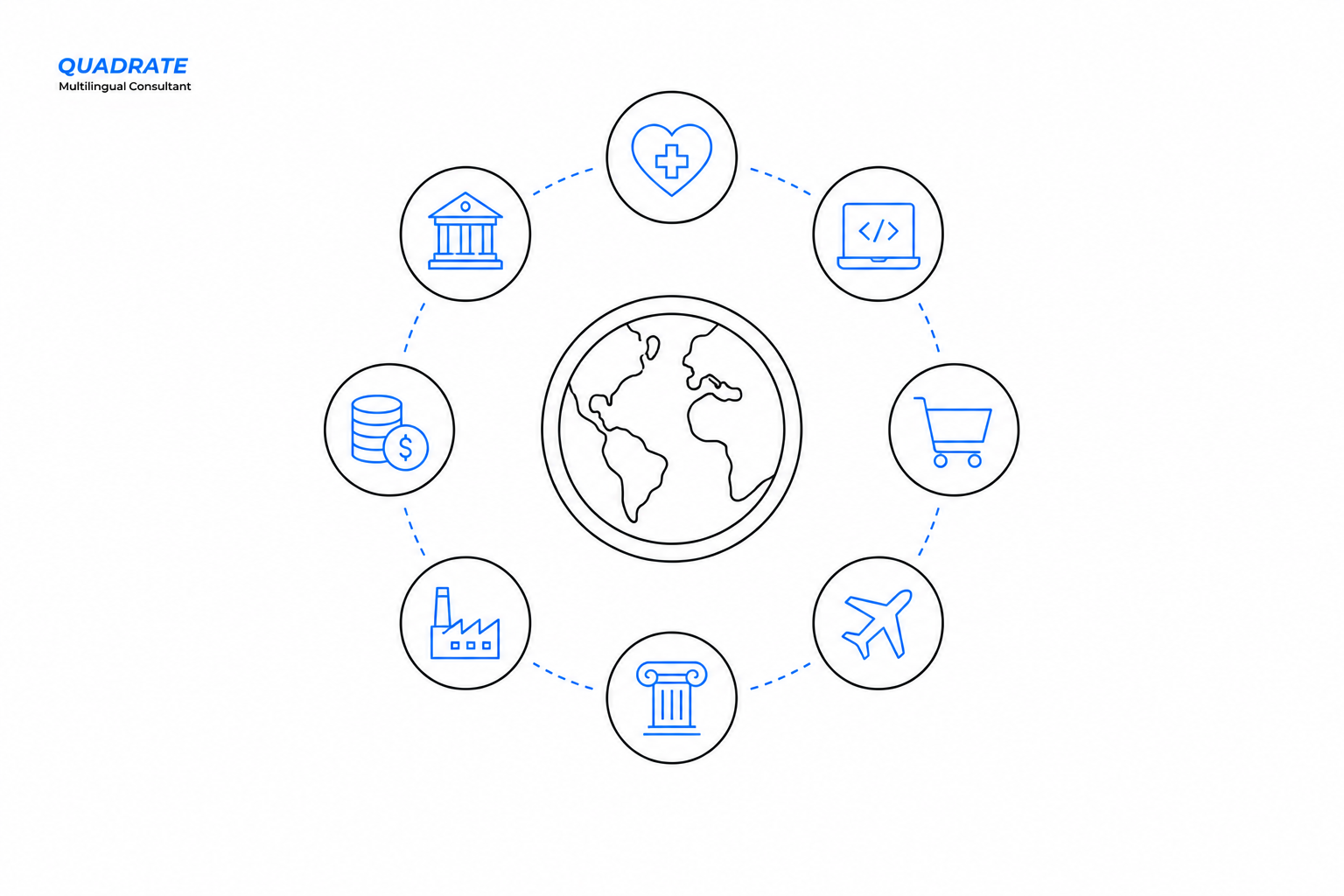
Desktop publishing can support organizations across industries where documents need to be structured, translated, localized, or prepared for professional distribution.
Manufacturing
Manufacturing organizations may require DTP for product and technical documentation.
Product manuals | Operator manuals | Service manuals | Installation guides | Safety documentation | Technical specifications | Maintenance documentation
Engineering
Engineering publications can contain diagrams, specifications, tables, drawings, and technical terminology.
Engineering manuals | Technical specifications | CAD-related documentation | Drawings | Schematics | Maintenance documents | Installation documentation
Healthcare and Life Sciences
Healthcare and life-science documents can contain highly structured information requiring careful formatting.
Patient materials | Medical manuals | Clinical documentation | Product information | Training materials | Regulatory documentation
Legal and Compliance
Legal and compliance documents may contain contracts, forms, clauses, references, tables, and regulatory information.
Contracts | Agreements | Legal forms | Regulatory documents | Compliance materials | Patents | Affidavits
Education and eLearning
Educational DTP can support multilingual learning and training content.
Course materials | Training manuals | Workbooks | Learning guides | Presentations | Educational publications
Technology and Software
Technology companies may require DTP for product documentation and user-facing technical content.
User guides | Product documentation | Help documentation | Technical manuals | Training content | Localized product materials
Desktop Publishing Software and File Formats
DTP projects can involve different design, publishing, document, and output formats depending on the source material and final requirements. Common tools and formats can include:
Adobe InDesign | Adobe Illustrator | Adobe Acrobat | Microsoft Word | PowerPoint | PDF | IDML | AI | DOCX | PPTX | EPUB
The appropriate workflow depends on the source files, document complexity, target languages, output requirements, and publishing environment. The objective should not be to force every project into one software workflow. Instead, the DTP process should be selected according to the actual document and production requirements.
Our DTP Workflow
A structured DTP workflow helps reduce formatting problems and unnecessary revisions.
1. Source-File Assessment
The available source files are reviewed to understand the document structure and production requirements.
File format | Page count | Document structure | Fonts | Images | Tables | Graphics | Existing styles | Language requirements | Output requirements
2. Content and Translation Preparation
If translation is involved, translated content is prepared before final layout adaptation.
Source content | Translation | Terminology | Formatting requirements | Language requirements | Document structure
3. Layout Adaptation
Translated or revised content is placed into the document while accounting for language-specific differences.
Text expansion | Fonts | Scripts | Page structure | Tables | Images | Text boxes | RTL requirements
4. Formatting
The document is formatted to maintain visual and structural consistency.
Typography | Spacing | Alignment | Page hierarchy | Tables | Images | Headers | Footers | Page numbering | Branding
5. Quality Assurance
The formatted document is reviewed for visual, structural, and formatting problems.
Missing text | Text overflow | Page breaks | Font issues | Alignment | Terminology | Tables | Images | Headers | Footers | Page numbering | Consistency
6. Client Review
The formatted document can be reviewed against the agreed requirements and source material.
Content review | Layout review | Formatting review | Client feedback | Corrections
7. Final Delivery
The completed files are prepared in the required format.
Final document | Print-ready files | Digital files | PDF | Source files where applicable | Final QA

Benefits of Professional Desktop Publishing
Professional DTP provides practical benefits throughout the document-production process.
Consistent document formatting | Better readability | Professional presentation | Multilingual layout support | Reduced formatting errors | Production readiness | Better document structure | Easier revisions | Consistent branding | Improved publication quality
Better Document Consistency
Styles, spacing, typography, and page structures can be maintained consistently throughout a publication.
Better Multilingual Output
Translated documents can be adapted to accommodate language-specific requirements instead of simply replacing source text.
Improved Readability
Well-structured layouts make complex information easier to scan, navigate, and understand.
Production Readiness
Documents can be prepared according to their intended print or digital output requirements.
Fewer Formatting Problems
Structured quality assurance can identify issues before the final document reaches its audience.
Easier Document Management
Reusable templates and consistent formatting systems can simplify future document updates.
How to Choose a
Desktop Publishing Service Provider
Choosing a DTP provider should involve more than prices.
Relevant Document Experience
Check whether the provider has experience with the type of document you need.
Technical manuals | Brochures | Catalogues | Reports | Academic documents | eBooks | Training materials | Multilingual publications
Multilingual Capability
For translation projects, confirm that the provider understands multilingual typography and document-layout requirements.
Text expansion | Font support | Script compatibility | RTL languages | Multilingual QA | Translation integration
Source-File Support
Confirm that the provider can work with your source files and deliver the required output formats.
InDesign | Illustrator | Word | PowerPoint | PDF | EPUB | Other project-specific formats
Quality Assurance
Ask what checks are performed before final delivery.
Content checks | Layout checks | Font checks | Alignment checks | Table checks | Image checks | Pagination checks | Final formatting review
Translation and Localization Integration
For multilingual projects, a provider that understands both translation and DTP can reduce unnecessary handoffs between separate vendors.
Translation | Localization | DTP | QA | Final publication
Industry Understanding
Technical, medical, legal, engineering, academic, and other specialized documents can have different formatting requirements.
Industry terminology | Document structure | Compliance requirements | Technical content | Specialized layouts
Clear Project Requirements
When requesting a quotation, provide as much project information as possible.
Source files | Target languages | Page count | Output format | Deadline | Templates | Brand guidelines | Reference files | Printing requirements | Digital requirements
Frequently Asked Questions About Desktop Publishing Services
What are desktop publishing services?
Desktop publishing services are professional layout and formatting services used to prepare documents containing text, images, tables, graphics, and other content for print or digital publication.
What does DTP mean?
DTP stands for Desktop Publishing. It refers to arranging, formatting, and preparing content using publishing and design tools to create professionally structured documents.
What is multilingual DTP?
Multilingual DTP is the formatting and layout adaptation of documents containing translated content. It accounts for text expansion, fonts, scripts, alignment, line breaks, writing direction, and other language-specific requirements.
Why is DTP important after translation?
Translated text can change the size and structure of a document. Professional DTP adjusts the layout to address text overflow, page breaks, tables, fonts, images, alignment, and other formatting issues.
What software is used for desktop publishing?
Depending on the project, DTP workflows can involve Adobe InDesign, Adobe Illustrator, Adobe Acrobat, Microsoft Word, PowerPoint, and other publishing or document-production tools.
What documents can DTP services handle?
DTP can support manuals, brochures, catalogues, reports, presentations, training materials, academic documents, technical documentation, eBooks, marketing materials, and multilingual publications.
Can DTP services support right-to-left languages?
Yes. Multilingual DTP workflows can support right-to-left languages when the appropriate fonts, software, document structure, and layout requirements are properly configured.
What is the difference between DTP and graphic design?
Graphic design focuses broadly on visual communication and creative composition. DTP focuses more specifically on arranging, formatting, and preparing document content for professional publication.
How does professional DTP improve translated documents?
Professional DTP adapts the document to the target language while checking text expansion, fonts, page breaks, tables, images, alignment, pagination, and overall formatting consistency.
How do I choose a DTP service provider?
Consider the provider’s experience with your document type, languages, source files, output formats, quality-control process, multilingual capabilities, and industry requirements.
Why Choose Quadrate for DTP Services?
Quadrate provides translation, localization, and desktop publishing solutions for multilingual document requirements. Its DTP offering can support document creation, brochure design, manuals, training materials, technical documentation, and multilingual formatting.
The broader service portfolio connects DTP with translation and localization requirements, allowing multilingual document projects to follow a connected workflow.
Translation → Localization → Desktop Publishing → Quality Assurance → Final Publication
For technical documentation, the workflow can involve structured manuals, specifications, engineering materials, safety documentation, and other specialized content.
The exact workflow, languages, file formats, and production requirements should be established according to the individual project.
Do follow Quadrate on LinkedIn for more insights