
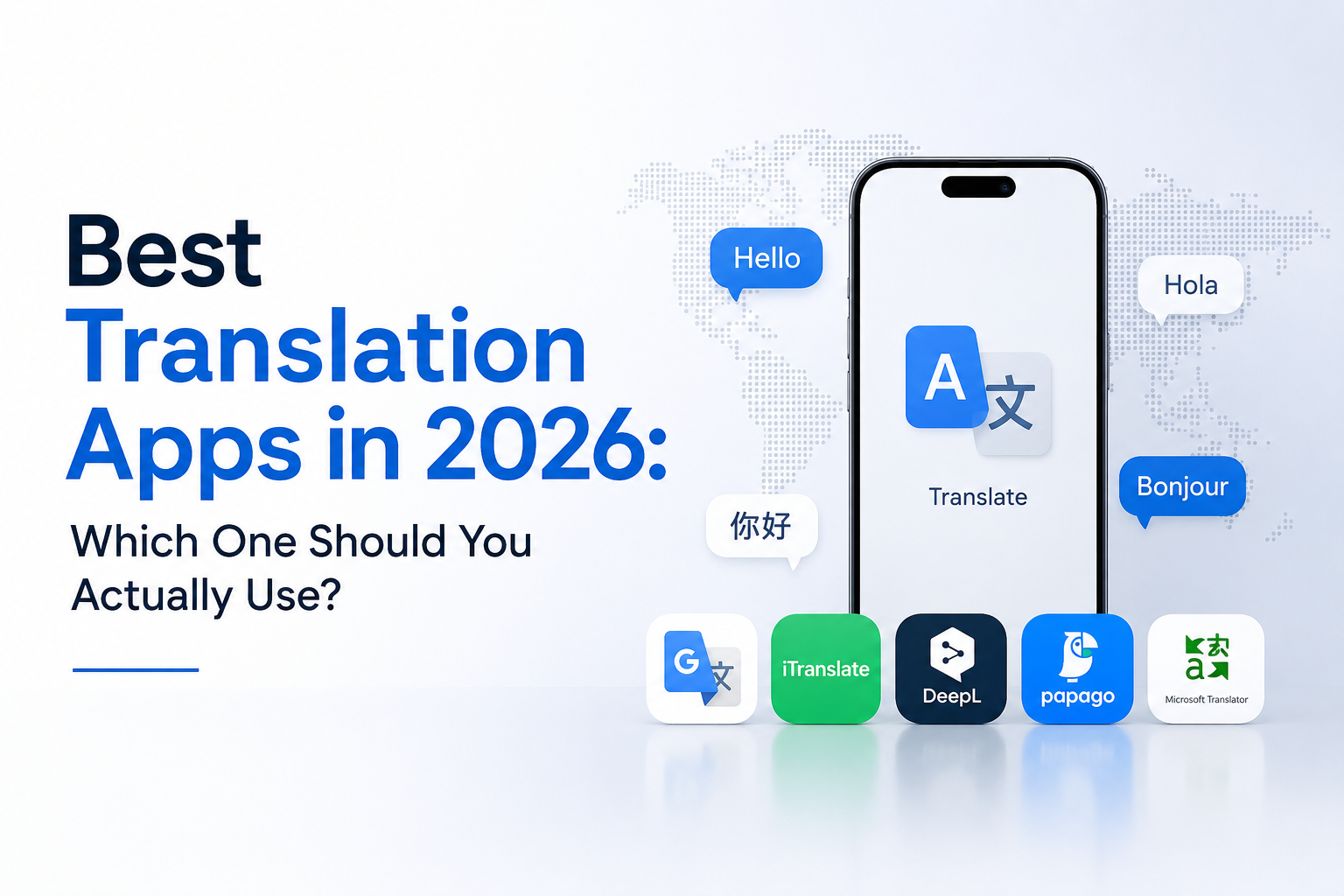
Best Translation Apps in 2026: Which One Should You Actually Use?
Quick answer: There’s no single “best” translation app for everyone — it depends on what you’re doing. Google Translate is the strongest all-round pick for travel and everyday use, with the widest language coverage (249+ languages), reliable offline packs, and the best camera translation. DeepL produces more natural, polished writing for European and several Asian languages, making it the better choice for professional or written communication. Microsoft Translator wins if you live inside Office and Teams or need group conversation translation.
Naver Papago beats both Google and DeepL for Korean, Japanese, and Chinese specifically.
And for anything business-critical — contracts, certified documents, marketing copy, e-learning content, or large multilingual projects — no app alone is reliable enough, and you’ll want a professional review layer, which is where a service like Quadrate Multilingual Consultant fits in.
That’s the summary. Below is the full breakdown: every major app tested by use case, an honest look at where each one falls apart, pricing, privacy, and a straight answer to the question everyone eventually asks — “when do I need to stop using an app and hire a human?”

Table of Contents
- How we evaluated these apps
- The quick comparison table
- Google Translate — the all-rounder
- DeepL — the accuracy and fluency leader
- Microsoft Translator — best for business ecosystems
- Apple Translate — best for privacy
- ChatGPT — the flexible wildcard
- Naver Papago — the Asian-language specialist
- iTranslate — the mobile-first traveler’s app
- Reverso — the context and learning tool
- Yandex Translate — best for Slavic languages
- Amazon Translate — the enterprise API option
- Common mistakes people make choosing a translation app
- Best app by use case
- Pricing comparison – Translation App
- Privacy and data handling — what nobody reads before pasting in a document
- Where every app on this list hits its limit
- A real example of where an app alone wasn’t enough
- When to use an app vs. when to bring in Quadrate
- Choosing an app by region or language family
- Frequently asked questions
- The bottom line
1. How We Evaluated These Translation Apps
To keep this useful rather than just another recycled listicle, each app below was assessed against the same five criteria: accuracy and fluency, language coverage, special features (camera, voice, offline, conversation mode), pricing, and data privacy. We also looked at where independent linguists and localization professionals consistently agree these tools succeed or struggle — because a translation app can look impressive on a demo and still fail on a real sentence with genuine ambiguity.
One thing worth being upfront about: this comparison comes from a translation and localization company, Quadrate Multilingual Consultant. That’s relevant context, not a conflict — it means the “where apps fall short” sections aren’t theoretical. They’re based on patterns our linguists catch daily reviewing machine-translated content for real clients.
2. Translation Apps – comparison
| App | Best For | LanguagesFree | Offline | Camera Translation | Price |
| Google Translate | All-round / travel | Yes | Yes (excellent) | Free | Free |
| DeepL | Written accuracy / business docs | 100+ | Limited (free tier needs internet) | No | Free / Pro from ~$8.74/mo |
| Microsoft Translator | Office/Teams users, group conversations | 120+ | Yes | Yes | Free (generous API tier) |
| Apple Translate | Privacy, on-device processing | ~20 | Yes | Via Live Text | Free (Apple devices only) |
| ChatGPT | Tone-aware, nuanced translation | 90+ (quality varies) | No | No | Free tier; Plus $20/mo |
| Naver Papago | Korean, Japanese, Chinese | Fewer overall, but deepest in Asian languages | Limited | Yes | Free |
| iTranslate | Mobile UX, travel | 100+ | Yes (Pro) | Yes (Pro) | Free / Pro subscription |
| Reverso | Learning, contextual examples | Fewer, strong depth | No | No | Free / Premium |
| Amazon Translate | Enterprise API / high-volume automation | 75+ | N/A (API) | N/A | Pay-per-character |
| Yandex Translate | Russian and Slavic languages | 90+ | Yes | Yes | Free |

3. Google Translate — The All-Rounder
Google Translate remains the world’s most-used translation app, and for good reason: it now supports well over 249 languages and dialects, from major world languages to smaller regional ones most competitors don’t even attempt. If you need to translate something in an obscure language pair, this is almost always the app that can actually do it.
Where it excels:
- Broadest language coverage of any app on this list
- Genuinely excellent camera translation for menus, signs, and real-world text
- Reliable offline language packs for travel without data access
- Strong conversation mode for real-time back-and-forth speech
Where it struggles:
Google Translate handles everyday, straightforward text well, but nuance is where it consistently comes up short. Longer sentences, idioms, and formal writing often translate in a way where you understand the general meaning but lose the tone entirely — fine for a menu, risky for a client email.
Bottom line: If you only install one app for travel or everyday use, this is still the safest default.
4. DeepL — The Accuracy and Fluency Leader
DeepL has built its reputation on one thing: producing translations that read like they were actually written by a native speaker, not run through a machine. It now covers 100+ languages after a major expansion beyond its original European focus, though its real strength remains European language pairs, alongside strong performance in Japanese, Korean, Chinese, Arabic, and Hebrew.
Where it excels:
- Consistently rated more natural and fluent than Google Translate for supported languages
- Strong document translation (Word, PDF, PowerPoint) with formatting preserved
- Glossary and tone controls for more consistent business use
Where it struggles:
DeepL’s language list is narrower than Google’s, so if you need a less common language pair, it may simply not be available. It also lacks camera translation entirely, and its free tier requires an internet connection with character limits per request.
Bottom line: If your priority is polished written translation over raw language coverage — emails, documents, professional communication — DeepL is generally the stronger pick.
5. Microsoft Translator — Best for Business
Microsoft Translator is deeply embedded across Outlook, Word, Excel, PowerPoint, Teams, and Edge, supporting over 120 languages. If your company already runs on Microsoft 365, this is the path of least resistance for internal multilingual communication.
Where it excels:
- Seamless integration across the entire Microsoft ecosystem
- Strong real-time conversation translation — turn-taking feels natural, and it handles group conversations of up to 100 people simultaneously, which makes it genuinely useful for multilingual meetings and conferences
- Generous free API tier, roughly half the cost of Google’s API pricing at scale
Where it struggles:
Outside of live speech and Microsoft-integrated workflows, its written translation quality is solid but unremarkable — it doesn’t outperform DeepL or Google Translate on nuance or idiomatic phrasing.
Bottom line: Best choice for businesses already inside the Microsoft ecosystem, especially for meetings and internal communication.
6. Apple Translate — Best for Privacy
Built directly into iOS, iPadOS, and macOS, Apple Translate takes a different approach from every other app on this list: wherever possible, translation happens on-device rather than being sent to a server.
Where it excels:
- On-device processing means your data typically doesn’t leave your device
- Works without an internet connection
- Clean, minimal interface, tightly integrated with Safari’s page translation
Where it struggles:
Apple Translate supports far fewer languages than Google, Microsoft, or even DeepL — around 20 at the time of writing — and it’s obviously limited to Apple hardware.
Bottom line: If you’re an iPhone or Mac user who cares about where your data goes, this is worth using as your default, with a broader app as backup for less common languages.
7. ChatGPT — The Flexible Wildcard
ChatGPT isn’t a dedicated translation tool, but its ability to understand context, adjust tone, and explain nuance makes it a genuinely useful option for translation tasks that go beyond word-for-word conversion — supporting roughly 90+ languages, though quality varies noticeably by language pair.
Where it excels:
- Can adjust formality, tone, and style on request (“make this sound more formal,” “keep this casual”)
- Understands ambiguity and context better than traditional neural machine translation in many cases
- Can explain why a translation was chosen a certain way, which traditional apps can’t do
Where it struggles:
Because it’s a general-purpose language model rather than a dedicated translation engine, it can occasionally produce fluent-sounding but subtly incorrect output — confidently filling gaps with plausible text rather than flagging uncertainty. This is worth taking seriously if you’re using it for anything beyond casual translation.
Bottom line: Great for nuanced, tone-sensitive translation of casual or creative content. Not the tool to trust unsupervised for anything official.
8. Naver Papago — The Asian-Language Specialist
Developed by Korean tech giant Naver, Papago has one clear specialty: it significantly outperforms Google Translate and DeepL specifically for Korean-English, Korean-Japanese, and related Asian language pairs.
Where it excels:
- Best-in-class accuracy for Korean, and strong performance in Japanese and Chinese
- Includes image translation, voice input, and a built-in dictionary with example sentences
Where it struggles:
Outside its specialty languages, Papago is far less impressive — European language translation is functional but not standout compared to Google or DeepL.
Bottom line: If Korean, Japanese, or Chinese is your target language, install this alongside your usual app.


9. iTranslate — The Mobile-First Traveler’s App
iTranslate is built specifically around mobile convenience, supporting 100+ languages with a strong focus on offline packs, voice translation, and a clean interface designed for quick, on-the-go use.
Where it excels:
- Genuinely easy to use without digging through settings
- Solid offline mode for travel
Where it struggles:
Many of its more advanced features sit behind a paid subscription, and for longer or more precise text, it can feel comparatively basic next to DeepL or Google.
Bottom line: A reasonable dedicated travel app, though most people can get similar functionality from Google Translate for free.
10. Reverso — The Context and Learning Tool
Reverso takes a fundamentally different approach: instead of giving you one translation, it shows you real example sentences and multiple possible meanings side by side, which makes it less of a quick-answer tool and more of a “how is this phrase actually used” tool.
Where it excels:
- Excellent for understanding nuance, idioms, and real usage in context
- Genuinely useful for language learners, not just translators
Where it struggles:
No camera translation, no real voice features, and narrower language coverage than the major players.
Bottom line: Not your primary translation app, but a strong secondary tool when you need to understand how a phrase is actually used, not just what it means.
11. Yandex Translate — Best for Slavic Languages
Developed by Russia’s leading search engine, Yandex Translate provides text, document, and website translation, with particular strength in Russian and other Slavic languages.
Where it excels:
- Strong accuracy for Russian-language pairs specifically
- Supports website and document translation alongside text
Where it struggles:
Outside its Slavic-language specialty, it doesn’t meaningfully outperform Google Translate or DeepL.
Bottom line: Worth having installed specifically if Russian or another Slavic language is a regular need.
12. Amazon Translate — The Enterprise API Option
Unlike every other app on this list, Amazon Translate isn’t really a consumer app at all — it’s a cloud-based translation service built for developers and businesses that need to translate large volumes of content automatically inside AWS-based systems, like e-commerce platforms or customer support pipelines.
Where it excels:
- Scales well for high-volume, automated translation needs
- Integrates cleanly with existing AWS infrastructure
Where it struggles:
It requires AWS knowledge to set up and isn’t usable for casual, everyday translation on your phone.
Bottom line: Relevant only if you’re a business automating translation at scale inside AWS — not a pick for individual users.
13. Common Mistakes People Make Choosing Translation App
Before getting into use cases, it’s worth flagging the patterns that trip people up most often when picking and using these apps.
Assuming “most popular” means “most accurate.” Google Translate has the most users, but popularity reflects convenience and language coverage, not necessarily the best output for every language pair. For European business writing, DeepL frequently produces the more natural result even though it has far fewer total users.
Trusting fluency as a proxy for correctness. This is the single biggest mistake across every app on this list. A sentence that reads smoothly in the target language feels trustworthy, but fluency and accuracy are two separate things. A translation can sound completely natural and still contain a flipped meaning, a wrong number, or a mistranslated technical term.
Using one app for everything. The apps above aren’t interchangeable — they have real, measurable differences by language pair and content type. Professional linguists commonly keep two or three apps installed and switch based on the task, rather than defaulting to whichever one they opened first.
Not checking what happens to the text after you paste it in. Most people never check a free app’s data policy before pasting in something sensitive.
Assuming “good enough to understand” means “good enough to publish.” Understanding a translated review or email is a completely different bar than publishing translated content under your business’s name. The gap between those two bars is exactly where professional review earns its cost.
14. Best Translation App by Use Case
Traveling abroad: Google Translate, for its offline packs and camera translation of menus and signs. Add Papago if you’re headed to Korea, Japan, or China.
Learning a new language: Reverso for contextual examples, paired with Google Translate or DeepL for quick lookups.
Business emails and internal documents: DeepL, for its more natural, professional-sounding phrasing.
Meetings with international colleagues: Microsoft Translator, for its strong group conversation mode and Office integration.
iPhone users who care about privacy: Apple Translate as your default, with Google Translate as backup for less common languages.
Creative or tone-sensitive translation: ChatGPT, with the understanding that you should review the output yourself or have someone who knows the target language check it.
Certified documents, contracts, marketing copy, or anything published under your business’s name: None of the above, used alone. This is where you need a human review layer — either full professional translation or a hybrid AI-plus-human workflow. More on this in Section 17.
15. Pricing Comparison for Translation Apps
Most translation apps are free for casual, personal use, with paid tiers unlocking higher volume, offline packs, or API access for businesses.
It’s worth understanding why the pricing splits the way it does. Consumer apps like Google Translate, Apple Translate, and the free tiers of DeepL and Microsoft Translator are effectively subsidized by the parent company’s broader ecosystem — Google wants you inside its search and Android ecosystem, Microsoft wants you inside Office 365, Apple wants you buying iPhones.
The translation feature itself isn’t the profit center, which is exactly why it’s free and largely unlimited for casual, personal use.
The moment you move into API access — feeding translation into your own app, website, or automated workflow — pricing flips to pay-per-character, because now you’re consuming compute at real scale rather than occasionally tapping a translate button. This is the tier that matters if you’re a business owner thinking about automating translation for a website, product catalog, or customer support pipeline rather than just using an app personally.
| App | Free Tier | Paid Tier |
| Google Translate | Full app, free | API: ~500,000 characters/month free, then payg |
| DeepL | 1,500 characters/request, 3 documents/month | DeepL Pro from ~$8.74/month |
| Microsoft Translator | Full app, free; generous API free tier (2M characters/month) | Paid API roughly half of Google’s per-character pricing |
| Apple Translate | Fully free (Apple devices) | N/A |
| ChatGPT | Free tier available | Plus at $20/month |
| Amazon Translate | 2M characters/month free for 12 months | $15 per million characters after |
16. Privacy and Data Handling
— What Nobody Reads Before Pasting In a Document
This is the question almost nobody asks before they paste a contract, medical record, or client email into a free translation tool: where does that text actually go?
Most consumer-facing, free-tier AI translation tools process and sometimes store submitted text on external servers to improve their models. That’s a reasonable tradeoff for translating a restaurant menu. It’s a real risk if you’re pasting in a client NDA, unpublished financial data, or personal health information.
Apple Translate is the clear standout here, processing translation on-device wherever possible, meaning your data typically never leaves your phone. Most other apps’ paid or enterprise tiers offer stronger data-handling guarantees than their free consumer versions — worth checking before you assume the free version is safe for sensitive content.
Practical rule of thumb: if what you’re translating would be embarrassing or damaging if it leaked, don’t paste it into a free consumer app. Use a paid/enterprise tier with a clear data policy, or route it through a translation provider that handles confidentiality contractually.
17. Where Every App on This List Hits Its Limit
Here’s the pattern that shows up across every single app above, regardless of how advanced it gets: none of them can tell you when they’re wrong.
That’s the real risk with modern AI translation — it increasingly produces text that “looks right” even when it isn’t. A tool can confidently swap a unit of measurement, flip a negative, or mistranslate a legal or medical term, and the output will still read fluently. Nothing about the interface tells you to double-check that sentence.
This shows up in a few consistent, predictable places:
Legal and official documents. None of these apps can certify a translation. Courts, embassies, and government agencies require a formal certification and an accountable human signatory — something no AI tool, however accurate, can provide.
Medical content. The same “looks right but isn’t” risk applies with higher stakes — a swapped dosage unit or an inverted symptom description is a very different kind of mistake than a mistranslated menu item.
Marketing and brand voice. Every app on this list translates words. None of them reliably preserve tone, humor, or cultural resonance — the exact layer that determines whether your brand sounds confident or accidentally awkward in a new market.
Large multilingual projects. If you’re translating hundreds of files — training content, product documentation, a multi-language website — no consumer app maintains consistent terminology across all of them without a managed system behind it. Ask five separate app sessions to translate the same technical term and you may get three slightly different results, because none of these tools remember what you approved last time unless you’re paying for a business-tier glossary feature.
Why this actually happens, in plain terms: every app on this list — even the ones built on large language models like ChatGPT — works by predicting the most statistically likely translation based on patterns in its training data. None of them are reasoning through your specific situation the way a person would. That’s not a criticism of the technology; it’s simply what these systems are designed to do, and they do it remarkably well for everyday language. But prediction isn’t the same as judgment, and judgment is exactly what’s needed the moment a sentence has more than one plausible meaning, depends on context the app can’t see, or needs to match a specific legal or medical definition rather than a generic dictionary one.
18. A Real Example of Where an App Alone Wasn’t Enough
It’s easy for this to stay abstract, so here’s a concrete case from our own project work at Quadrate.
On a large-scale e-learning localization project, the client-provided translated reference files for one language were supposed to contain the full narration script for each course module. On closer inspection, they only contained translations of the on-screen UI labels — buttons, menu text, navigation prompts — with no actual narration content included.
Fed into any translation app as a “reference,” this gap would have gone completely unnoticed. The tool would have either translated the English narration in isolation, disconnected from terminology the client had already approved, or tried to force-fit UI label translations onto narration they were never meant to cover — producing fluent-sounding but functionally wrong output. Only a human reviewer, cross-checking the file against the actual English narration, caught the mismatch early enough to fix it — translating the narration directly while deliberately reusing the client’s existing UI terminology for consistency.
That’s the exact category of problem no translation app will ever solve on its own: recognizing what’s missing from the input, not just producing plausible output from what’s given.
+91 96000 44222
19. When to Use an App vs. When to Bring in Quadrate
Stick with an app when:
- You’re traveling and need to read a menu, sign, or ask for directions
- You want the general gist of a foreign-language email or webpage
- The content is casual, internal, and disposable
- You’re learning a language and want quick lookups or example sentences
Bring in a professional translation partner like Quadrate Multilingual Consultant when:
- The content needs to be certified for legal, immigration, or government use
- You’re translating a contract, compliance document, or anything with financial or legal consequence
- You’re localizing marketing content, a website, or brand materials where tone matters
- You’re running a large multilingual project — e-learning courses, technical manuals, subtitle localization — that needs consistent terminology across dozens or hundreds of files
- Getting it wrong would cost you money, trust, or a legal outcome
Quadrate’s approach isn’t “apps are bad, hire humans instead.” It’s the same principle running through this entire comparison: AI tools are a genuinely useful first draft. Where Quadrate adds value is exactly where every app on this list runs out of road — reviewing AI-assisted output for accuracy, managing terminology consistently across large projects, and taking accountability for the final result in a way no app can.
20. Choosing an App by Region or Language Family
European languages (Spanish, French, German, Italian, Portuguese, Dutch): DeepL consistently produces the most natural results here, since this is its original specialty and strongest area even after expanding to other languages.
East Asian languages (Korean, Japanese, Chinese): Naver Papago outperforms both Google Translate and DeepL specifically for these language pairs, particularly Korean.
Russian and other Slavic languages: Yandex Translate, built by a Russian company with deep language-specific training data, performs noticeably better here than the more general-purpose apps.
South Asian and less common languages (Tamil, Malayalam, Gujarati, and similar): This is where Google Translate’s sheer language breadth becomes a genuine advantage — many competitors either don’t support these languages at all or support them with far less training data behind them.
Middle Eastern languages (Arabic, Hebrew): DeepL has expanded meaningfully into this territory and performs well, though Google Translate’s broader usage and camera translation support still make it worth keeping installed alongside it.
21. Frequently Asked Questions
What is the best translation app overall in 2026?
There isn’t a single best app for every situation. Google Translate is the strongest all-rounder for travel and everyday use, DeepL is the strongest for polished written translation, and Microsoft Translator is best for business teams already using Microsoft 365. For business-critical content, no app alone is sufficient without human review.
Which translation app is most accurate?
For European and several major Asian language pairs, DeepL is generally considered the most accurate and natural-sounding. For Korean, Japanese, and Chinese specifically, Naver Papago often outperforms both Google Translate and DeepL. For sheer breadth of language coverage, Google Translate remains unmatched.
Is Google Translate accurate enough for business use?
It’s accurate enough for internal, low-stakes, or gisting purposes, but not recommended for contracts, marketing copy, or anything published under your company’s name, since it can’t reliably preserve legal precision, brand tone, or terminology consistency.
Which app works best without internet access?
Google Translate, Microsoft Translator, and Apple Translate all offer solid offline capability through downloadable language packs. DeepL’s free tier requires an internet connection.
Can I use ChatGPT to translate documents?
Yes, and it’s particularly good at adjusting tone and explaining nuance. But because it’s a general-purpose model rather than a dedicated translation engine, it can occasionally produce fluent-sounding but subtly incorrect text, so it’s best treated as a strong first draft rather than a final answer for anything important.
Is DeepL better than Google Translate?
For accuracy and natural phrasing in supported languages, yes. For breadth of language coverage, offline access, and camera translation, Google Translate wins. Many professionals use both, depending on the task.
Which translation app is best for Korean, Japanese, or Chinese?
Naver Papago consistently outperforms Google Translate and DeepL for these specific languages.
Can I use a translation app instead of hiring a professional translator?
For casual, low-stakes content, yes. For certified documents, legal or medical translation, marketing copy, or large multilingual projects needing consistent terminology, an app should only be used as a first draft, reviewed by a professional translator or a hybrid MTPE workflow.
Are translation apps safe for confidential or sensitive documents?
Not always. Free, consumer-facing tools often process and sometimes store submitted text on external servers. Apple Translate’s on-device processing is the strongest privacy option among consumer apps; for business-sensitive content, a paid/enterprise tier or a translation provider with a clear confidentiality agreement is safer.
How much do translation apps cost?
Most are free for personal use. Paid tiers (DeepL Pro, API access for Google/Microsoft/Amazon) start at a few dollars a month and scale with volume.
What’s the difference between a translation app and a professional translation service?
A translation app instantly converts text using pattern-based prediction, with no accountability if it’s wrong. A professional translation service, like Quadrate Multilingual Consultant, combines AI-assisted drafting where appropriate with human review, terminology management, and accountability for the final, delivered accuracy.
Do translation apps work for video subtitles and dubbing?
Some apps and platforms now offer automated subtitle generation and even AI dubbing, and quality has improved significantly. However, these tools still commonly struggle with timing synchronization, lip-sync alignment, and preserving humor or tone within a fixed time window — areas where human review continues to make a noticeable difference.
Which translation app should students use for schoolwork or research?
Google Translate and DeepL are both reasonable choices for understanding foreign-language source material, with Reverso useful as a secondary tool. Most academic institutions have policies on machine-translated content in submitted work, so it’s worth checking those first.
Can translation apps handle regional dialects and slang?
Generally not well. Most apps are trained primarily on standard, formal versions of a language, so regional dialects and slang are where accuracy drops most noticeably.
Is it worth paying for a premium translation app subscription?
For personal or travel use, usually not — free tiers cover the vast majority of everyday needs. Premium subscriptions become worthwhile mainly for offline access to every language pack, higher document limits, or business-grade features like glossaries and API access.

Conclusion
For everyday, casual, and travel use, the translation apps on this list are genuinely excellent — Google Translate for breadth, DeepL for polish, Microsoft Translator for business ecosystems, Papago for Asian languages. Install two or three that match how you actually use translation, and you’ll rarely be stuck.
But every one of them shares the same blind spot: they can’t tell you when they’re wrong, they can’t certify anything, and they can’t take responsibility for the final result. The moment your content carries legal weight, represents your brand, or needs to stay consistent across a large project, that’s the point where an app becomes a first draft rather than a finished answer.
Need a translation you can actually stand behind? Quadrate Multilingual Consultant combines AI-assisted drafting with professional linguist review, so you get the speed of modern tools without gambling on accuracy, terminology, or compliance — whether it’s certified documents, e-learning content, technical manuals, or large-scale multilingual projects.
Choose the right language services partner. Invest in quality. Build for global from the start.
Start your global growth journey with Quadrate.
Connect with our team of localization specialists, certified translators, and global expansion experts. From your first international market to a fully scaled multilingual operation — Quadrate delivers the language services that businesses trust.
Request a free translation audit and market expansion consultation today.
Do check us on LinkedIn for industrial updates.